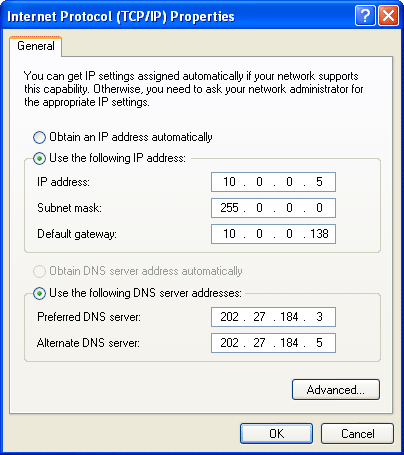
DNS Jumper is a light application to easily change the DNS on the computer in a short time. DNS Jumper also provides a lot of DNS server list such as Google DNS,
Open DNS, Ultra DNS, Exatel, Century, Cisco, Open Nic and many more.
Also, this application can be used in portable without having to install
it on your computer.
DNS Jumper also gives features to check the Response Time on each DNS server list provided in the application so that later you can choose any DNS Server you think is the fastest. And if you have your own DNS list which are not in this application, you can also put it in manually.

Key features for “DNS Jumper 1.0.4 :
DNS Jumper also gives features to check the Response Time on each DNS server list provided in the application so that later you can choose any DNS Server you think is the fastest. And if you have your own DNS list which are not in this application, you can also put it in manually.
Key features for “DNS Jumper 1.0.4 :
- You can choose your network card
- Add/modify custom DNS
- You can change the language
- Customize DNS manually
- Benchmark DNS IPs and measure time reaction
- Flush DNS button available
- Test the fastest DNS
To change it back to the former DNS setting on the internet connection, you can follow the complete guide here : https://store.opendns.com/setup/computer/
Download : DNS Jumper v1.04